
Pinco Mobile App Review and Download Guide for Players in Canada
The Pinco mobile app is available in English and French for players in Canada, offering full access to sports betting markets, casino games, and Canadian-friendly payment options including Interac. The APK can be downloaded directly, and Canadian players can access the platform legally under Pinco’s international licence.
New casino players qualify for a Casino Welcome Bonus of C$ 5,000 plus 250 free spins, structured across the first four deposits with a minimum deposit of C$ 20 and wagering requirements of 40x on bonus funds. Sports bettors receive a separate Welcome Bonus of up to C$ 7,500, awarded as a 100% match on the first deposit with a minimum of C$ 20 and 5x rollover requirements on the bonus amount.

Technical Specifications and Compatibility of the Pinco App
During our review, we confirmed the following technical details for the Pinco mobile application across both Android and iOS platforms.
| Specification | Details |
|---|---|
| Year of Development | 2020 |
| Developer | Rivos N.V. |
| Package Name | com.pinco.mobile |
| Licence | Curaçao eGaming, Licence No. 8048/JAZ |
| APK File Size | Approximately 35 MB |
| Supported OS | Android 5.0+, iOS 12.0+ |
| Price | Free |
| Category | Casino and Sports Betting |
| Regional Availability | Available in Canada |
| Supported Languages | English, French |
| Supported Currencies | CAD, USD, EUR |
| Availability in Canada | Yes |
Our Honest Assessment of Pinco App Pros and Cons
Our team identified clear advantages and notable limitations during testing of the Pinco mobile app.
Despite minor installation constraints, the app remains a highly practical choice for mobile players in Canada.
Pros
- Free APK download for Android
- Fast-loading casino and sports sections
- Interac deposits available for Canadian players
- 24/7 live chat support within the app
- Over 3,000 casino games available
- Competitive sports odds on NHL and CFL
Cons
- Not listed on Google Play Store
- Manual APK installation required
- iOS app requires installation via this site
- KYC verification required before withdrawals
- Crypto withdrawal times vary by blockchain
- No dedicated Windows or macOS desktop app
Pinco App Design and Layout Overview
The Pinco app uses a dark colour scheme anchored in deep black and gold tones, giving the interface a modern, premium appearance that performs well on both AMOLED and LCD screens. Navigation is organized through a bottom tab bar, providing immediate access to the sportsbook, casino, promotions, and account sections without excessive menu depth.
Our Experience with the Pinco App for Android
The Pinco Android app is available as a free APK download and performed consistently across a range of devices during our testing, with no notable crashes or loading failures on 4G and Wi-Fi connections.

Pinco Android App Minimum System Requirements
Most Android devices manufactured after 2017 meet the minimum requirements for running the application without performance issues.
| Requirement | Minimum Specification |
|---|---|
| Android Version | 5.0 (Lollipop) or higher |
| RAM | 1 GB |
| Free Storage Space | 50 MB |
| Processor | 1.2 GHz single-core or better |
Compatible Android Devices and Tested Models
Based on our tests, the Pinco Android app runs without issues on the following popular smartphone models used across Canada:
- Samsung Galaxy A35;
- Samsung Galaxy S23;
- Google Pixel 7;
- Google Pixel 8a;
- OnePlus Nord N30;
- Motorola Moto G Power (2024);
- Xiaomi Redmi Note 13.
How to Safely Update the Pinco Android App
Running the latest version of the APK is essential for maintaining account security, accessing newly added games, and ensuring compatibility with the latest Android updates. Outdated versions can cause login errors and missing features.
- Check this site for the latest version. Visit this page regularly to verify whether a newer APK version is available for download.
- Download the updated APK file. Tap the download button on this page to save the latest installer to your device storage.
- Install over the existing app. Open the downloaded file and tap “Install”. Android will update the existing installation without removing your account data.
- Relaunch and verify. Open the app after installation completes and confirm the version number in the account settings to ensure the update applied correctly.
Step by Step Guide to Download and Install the Pinco Android APK
Our testing confirmed that downloading and installing the Android APK is a straightforward process that takes under three minutes on most devices. The Pinco app download is available directly from this page and is compatible with the vast majority of modern Android smartphones and tablets.
Visit this download page.
Tap the “Download APK” button on this page to begin downloading the installation file to your Android device.
Allow downloads from unknown sources.
Navigate to Settings, then Security or Privacy, and enable “Install Unknown Apps” for your browser or file manager. This is required because the APK is distributed outside the Google Play Store.
Locate and open the APK file.
Open your device’s file manager or the notification tray and tap the downloaded file named “pinco.apk” to launch the installer.
Complete the installation.
Tap “Install” and wait for Android to finish the process. No additional configuration is needed.
Launch the app and log in.
Find the Pinco icon on your home screen or app drawer, open it, and sign in to your existing account or proceed with registration.
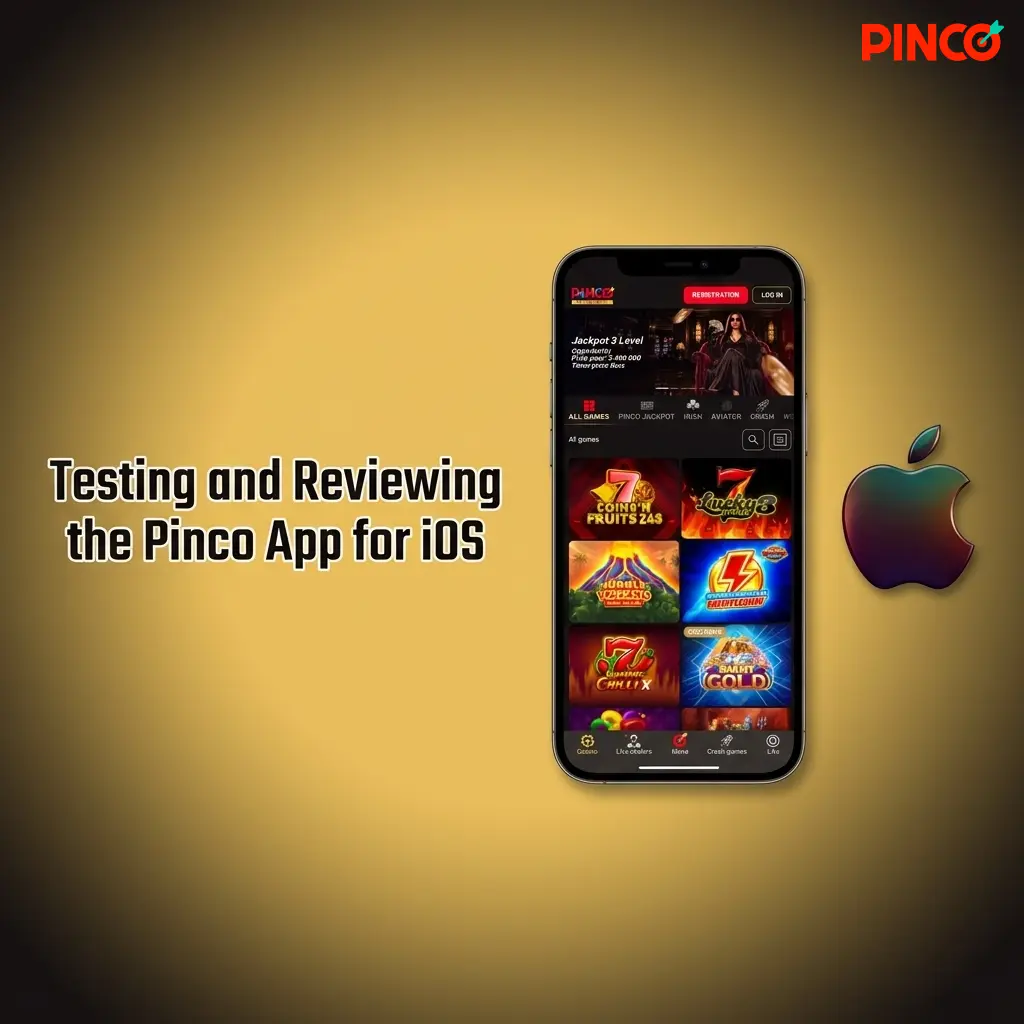
Testing and Reviewing the Pinco App for iOS
The Pinco iOS app is available free of charge and delivered consistent performance across iPhone and iPad models during our testing, with fast page transitions and stable streaming in the live casino section.
Pinco iOS App System Requirements and Performance
The app operates reliably on most Apple devices released from 2016 onward, with no significant performance degradation observed during our review.
| Requirement | Minimum Specification |
|---|---|
| iOS Version | 12.0 or higher |
| RAM | 1 GB |
| Free Storage Space | 100 MB |
| Compatible Devices | iPhone 6S or newer, iPad Air 2 or newer |
Tested iOS Devices and iPad Compatibility
The Pinco app performed optimally on the following Apple devices commonly used in Canada during our evaluation:
- iPhone 16 Pro;
- iPhone 15;
- iPhone 14 Plus;
- iPhone 13 mini;
- iPhone SE (3rd generation);
- iPad Air (5th generation);
- iPad Pro 12.9-inch (2022).
How to Keep the Pinco iOS App Updated
Keeping the iOS app updated ensures access to the latest security patches, new game releases, and platform improvements that can affect deposit processing and betting features. An outdated version may also cause display errors on newer iOS releases.
- Check this page for update availability. Return to this download page periodically to see whether a newer version of the app has been released.
- Tap the download button. Use the iOS download link on this page to retrieve the latest installation file.
- Confirm the installation prompt. Follow the on-screen instructions to allow the installation and trust the app profile if prompted under iOS settings.
- Verify the update. Open the app and check the version information in your account settings to confirm the update installed successfully.
Easy Installation Steps for the Pinco App on iOS
Our tests confirmed that iOS installation is fast and accessible for the majority of iPhone and iPad users in Canada. The process does not require visiting the App Store and can be completed entirely through this page.
Open this download page on your iPhone or iPad.
Navigate to this page using Safari, which is required for the installation prompt to appear correctly on iOS devices.
Tap the iOS download button.
Press the “Download App” button on this page to initiate the download. A prompt will appear asking for permission to install the profile.
Allow the installation.
Tap “Allow” on the installation prompt. The app icon will appear on your home screen once the file has been processed.
Trust the app profile in iOS settings.
Go to Settings, then General, then VPN and Device Management, and tap “Trust” next to the Pinco profile. This step is required to launch the app.
Open the app and sign in.
Tap the Pinco icon on your home screen, log in to your account, or register a new one to begin playing.
Reviewer Guide on How to Install the Pinco APK
Installing the Pinco mobile app is a straightforward process for both Android and iOS users. Android players install the APK file directly, while iOS users complete installation through a profile-based method accessible from this page. Both processes take under five minutes on a stable internet connection.
Android Installation
- Tap the “Download APK” button on this page to save the file to your device.
- Open the APK file from your notifications or file manager.
- Enable “Install from Unknown Sources” in your Android security settings if prompted.
- Tap “Install” and wait for the process to complete.
- Launch the app from your home screen and log in or create a new account.
iOS Installation
- Open this page in Safari on your iPhone or iPad.
- Tap the iOS download button and allow the profile installation when prompted.
- Go to Settings, then General, then VPN and Device Management, and select the Pinco profile.
- Tap “Trust” to authorize the app to run on your device.
- Return to the home screen and tap the Pinco icon to launch the app.
After installation, the app is accessible directly from the home screen. No browser is required for ongoing use, and all account features including deposits, withdrawals, and live betting are available immediately after logging in.
Alternative Play Through the Pinco Mobile Website
The Pinco mobile website delivers the same casino games, sportsbook markets, and account management features as the dedicated app, and is accessible on any smartphone or tablet through a standard browser without requiring a download. It serves as a practical alternative for players who prefer not to install software on their devices.
Comparing the Mobile App and Mobile Website Experience
Based on our evaluation, the mobile site and the app are functionally comparable, but our testers consistently preferred the app for its faster load times and built-in push notification support for odds changes and bonus alerts.
| Criteria | Mobile App | Mobile Website |
|---|---|---|
| Device Memory Usage | Approximately 50-100 MB installed | No storage used |
| Push Notifications | Supported | Not supported |
| Update Requirements | Manual APK or profile update needed | Always current, no updates required |
| Screen Adaptability | Fully native, optimized layout | Responsive design, browser-dependent |
| Internet Connection Requirements | Lower data usage due to caching | Requires active connection for every page load |
The app provides a more stable experience for players who bet frequently on the move, particularly during live events where connection stability and notification speed are relevant.
Setting Up Your Account with the Pinco App Registration Guide
Based on our registration tests, creating an account through the app takes approximately two minutes and requires only basic personal information.
- Launch the app. Open Pinco from your home screen after installation.
- Tap the registration button. Select “Sign Up” on the main screen to access the registration form.
- Choose a sign-up method. Select email, phone number, or an available social media option to begin.
- Enter your personal details. Provide your name, date of birth, and country of residence. Canadian players should select Canada and set CAD as the preferred currency.
- Set your password and confirm. Create a secure password and agree to the terms and conditions to finalize account creation.
- Verify your contact information. Confirm your email address or phone number via the verification code sent by Pinco.
Pinco Mobile Bonus and Promotions for Players in Canada
Pinco offers two separate welcome packages for new players in Canada, each targeting a distinct segment: casino enthusiasts and sports bettors. Both bonuses are accessible directly through the mobile app.
Casino Welcome Bonus
| Tier | Match Percentage | Maximum Bonus | Free Spins | Minimum Deposit |
|---|---|---|---|---|
| 1st Deposit | 100% | C$ 1,500 | 250 FS | C$ 20 |
| 2nd Deposit | 75% | C$ 1,000 | — | C$ 20 |
| 3rd Deposit | 50% | C$ 1,000 | — | C$ 20 |
| 4th Deposit | 50% | C$ 1,500 | — | C$ 20 |
| Total | — | C$ 5,000 + 250 FS | — | — |
Wagering requirements are 40x on the bonus amount. Free spins are credited on the first deposit and apply to selected slot titles.
Sports Welcome Bonus
| Component | Details |
|---|---|
| Match Percentage | 100% |
| Maximum Bonus | C$ 7,500 |
| Minimum Deposit | C$ 20 |
| Wagering Requirement | 5x rollover on the bonus amount |
The sports bonus carries significantly lower wagering requirements than the casino offer, making it more accessible for players who primarily bet on events such as NHL games, CFL matches, or UFC cards.
Testing the Sportsbook Features in the Pinco App
The Pinco betting app covers an extensive list of sporting disciplines, with both pre-match (Line) and live (In-Play) wagering available across all major markets. Bet slips load instantly, and parlays of up to 12 selections can be configured without navigating away from the main event page.
The following sports are available for betting within the app, with particular depth in markets popular among Canadian players:
- Ice Hockey (NHL and international leagues);
- Canadian Football (CFL);
- Soccer (MLS, Premier League, Champions League);
- Basketball (NBA);
- Tennis (ATP, WTA, Grand Slams);
- Mixed Martial Arts (UFC);
- Baseball (MLB);
- Esports (CS2, Dota 2, League of Legends).
Each sport has a dedicated section with live statistics, match timelines, and live streaming options for selected events. In our assessment, the depth of NHL coverage and the speed of live odds updates make the sportsbook competitive with other established Canadian-facing betting platforms.
Our Impression of the Pinco Mobile Casino
The casino section of the Pinco app is extensive, covering over 3,000 titles from providers including Pragmatic Play, Evolution Gaming, NetEnt, and BGaming, with intuitive filtering by category, provider, and popularity. Navigation between categories is fast, and the search function returns results in under one second.
The following casino categories are available within the app:
- Slots;
- Live Casino (roulette, blackjack, baccarat, game shows);
- Table Games;
- Video Poker;
- Crash Games;
- Jackpot Slots;
- Instant Win and Scratch Cards.
Game loading times during our testing averaged under three seconds on a standard Canadian LTE connection. The live casino section, powered by Evolution Gaming, performed without interruption across all tested sessions, making it a credible option for players who prefer immersive table experiences on mobile.
Expert Review of Payment Methods Inside the Pinco App
The Pinco app supports several payment options suited for players in Canada, covering both traditional and digital asset methods. Transactions are processed directly within the app without redirecting to external portals.
Supported payment methods for Canadian players:
- Interac;
- Visa;
- Mastercard;
- Tether (USDT).
Deposits are credited instantly across all supported methods. Most withdrawals are processed within 15 minutes, with crypto transfers via Tether typically completing fastest. The minimum deposit is C$ 20, and the minimum withdrawal is C$ 20. Crypto withdrawal limits may vary depending on the blockchain network fee at the time of the transaction.
Key Reasons to Download and Use the Pinco App
Compared to using the browser-based mobile site, the Pinco application delivers measurably faster session loading, native push notifications, and a more stable live betting experience during high-traffic sporting events such as NHL playoffs or CFL finals.
Key advantages identified during our review:
- Instant deposit processing;
- 15-minute average withdrawal time;
- Native push notifications for odds and bonuses;
- Over 3,000 casino games available;
- Live NHL and CFL betting with real-time odds;
- Interac support for Canadian players;
- Free to download with no subscription fees.
The combination of fast transactions, broad sports coverage, and a comprehensive casino catalogue makes the app a more capable platform for Canadian players than the mobile website alone.
Testing the Pinco App Customer Support Experience
Pinco provides 24/7 customer support accessible directly within the app interface, with response times in live chat averaging under two minutes during our testing at various hours of the day. Support agents demonstrated familiarity with Canadian-specific queries including Interac transactions and CAD account settings.
Available contact methods for players in Canada:
- Live chat (available 24/7 within the app);
- Email support ([email protected]);
- On-site contact form.
Our Final Verdict and Expert Rating on the Pinco App
After comprehensive testing across Android and iOS devices in Canada, the Pinco mobile app earns a strong overall rating of 4.4 out of 5 for usability, transaction speed, and game depth. The sportsbook performs reliably during live events, the casino covers a genuinely broad selection of titles from reputable providers, and Interac support makes deposits and withdrawals practical for Canadian players. Security is underpinned by SSL encryption and Curaçao licence No. 8048/JAZ, and two-factor authentication is available for account login, which we recommend enabling immediately after registration. To preserve battery life during extended sessions, reducing screen brightness and disabling background app refresh for unused applications will extend playtime noticeably on most Android and iOS devices. The primary limitation remains the absence of a Google Play Store listing, which adds one manual step to the installation process, but this does not affect the app’s functionality or security once installed.
FAQ
Is the Pinco app legal to use in Canada?
Pinco operates under Curaçao eGaming Licence No. 8048/JAZ. Canadian federal law does not prohibit players from accessing internationally licenced online gambling platforms, and the app is accessible to players across Canadian provinces.
Does the Pinco APK contain malware or security risks?
The APK distributed through this page is the official Pinco installation file. It uses SSL encryption and does not request unnecessary device permissions. Always download the file exclusively from this page to avoid modified or counterfeit versions.
Can I use the same account on both Android and iOS?
Yes. A single Pinco account works across Android, iOS, and the mobile website. Account balances, bet history, and bonus status are synchronized across all platforms in real time.
What should I do if the app crashes after an Android update?
If the app stops functioning following an Android OS update, return to this page and download the latest APK version. Installing the updated file over the existing app typically resolves compatibility issues without affecting account data.
Are the welcome bonuses available when registering through the app?
Yes. Both the Casino Welcome Bonus (C$ 5,000 plus 250 free spins) and the Sports Welcome Bonus (up to C$ 7,500) are available to players who register and make their first deposit directly through the mobile app. There is no desktop-only restriction on either offer.
Updated: